Showing posts with label Phone. Show all posts

Sunday, April 7, 2013

The Sims 3 World Adventures For iPad iPhone and iPod Touch-Lz0PDA


The Sims 3 World Adventures v1.1.23 iPad iPhone iPod Touch-Lz0PDA

Take your Sims on thrilling adventures to world famous destinations! “Al Simhara,” Egypt… “Champs Les Sims,” France… “Shang SimLa,” China. Each exciting location is loaded with a world of possibilities for danger, adventure, and romance for your Sim.

MEET GLOBAL CHALLENGES
Enjoy an international twist on the Sims-style gameplay you know and love with 52 new goals, 4 new mini-games – plus personas, careers, and quests.

ENJOY MORE CUSTOM CONTENT
Let your Sim sport the local looks of the cultures and acquire worldly tastes. There are lots of new clothing styles, furniture selections, and even new face types to choose from.

IMPORT/EXPORT BETWEEN THE SIMS™ GAMES FOR iPHONE & iPOD TOUCH
Yes! You can transfer your Sim back and forth between the iPhone & iPod touch versions of The Sims™ 3 World Adventures and The Sims™ 3. So bring your favorite Sim on your adventure.

INCLUDES SIMS-STYLE MUSICAL ACCOMPANIMENT FROM WELL-KNOWN ARTISTS
Travel to the tunes of artists like LeAnn Rimes – singing in Simlish, of course.

Paste the URL to newtab
http://ul.to/megtawos
http://extabit.com/file/29g2ef964asdp/
http://www.filefactory.com/file/3jg43fn3f983/n/The_Sims_3_World_Adventures_v1_1_23_iPad_iPhone_iPod_Touch-Lz0PDA_rar

Read more »

Wednesday, March 27, 2013

Acer Liquid E1 Smart Phone Prices in Taiwan and UK

Acer introduced its newest smartphone, namely Acer Liquid E1 on February. And, in the near future, Acer will begin markets this phone to the public.  Some countries will be visited by Acer Liquid E1 mobile. The first is Taiwan, where Acer will sell Liquid E1 at a price of 299 USD. Meanwhile in UK, this smartphone will be sold for 265 USD.

This smartphone itself is aimed at the middle to lower. Specifications offered is not too different from other middle-class Android phones on the market.
Acer Smartphone
With 4.5-inch IPS screen measuring, 960 x 540 pixels resolution, dual speakers, VGA camera on the front, 5MP camera behind, 1GB RAM, 1GHz dual core processor, 4GB internal memory and 1760 mAh battery, the phone is also ready to compete in the market.

Read more »

Saturday, January 26, 2013

How to Free Call Phone Using Gmail 2013

Google Gmail - The latest news and really audible great for loyal users Google services "Gmail". Reported that in year 2013 Google will provide free call phone using Gmail 2013 Free Call Phone Use Gmail Service


Free Call Phone feature via Gmail is only available for U.S and Canada regions, so that we were outside regions will not be able to enjoy it, but we hope that Google changed of thought 
"If you are on the United States and Canada region, you can enjoy free call phone in 2013," writes Mayur Kamat, Product Manager at Google Gmail Blog. 

But users do not worry. Google is currently working for the feature is "global" and can be enjoyed by users of Gmail service anywhere. Writes Google Support page. 
"We are working to make this feature more widely available throughout the world. We appreciate your patience," wrote those pages. 

This feature is released or thrown to the user started in the year 2010 as an alternative to Skype. Google calls with calling plugin that allows users to make call phone to your cell phone or via chat sessions in Gmail. If users still want to use this service even if its status is not free, it will cost extra. Page CNET News writes if the charge is borne by the user about $ 10 depending on the location or the call is intended.

Read more »

Sunday, January 20, 2013

How to Setup and Use iMessage on iPhone With iOS

 One of the mainstay features of IOS 5 is iMessage, do you know how to use iMessage? Before we discuss about how to use iMessage it helps us to know some important things pertaining to him. First, iMessage feature can only be found on the gadgets that have used the IOS 5. IOS 5 is available for the iPhone from the iPhone 3G, iPhone 4 and iPhone 4S. To iPad can be installed there and IPAD IPAD 2. 

While the iPod is available for the iPod generation 3 and 4. So for those of you who have one of these gadgets can instantly upgrade your IOS to version 5. Second, features iMessage very closely with your Apple ID. When you first upgrade the IOS 5 then you will be prompted to enter the Apple ID to set up iCloud, iTunes Store, App Store and other features including iMessage. 


One thing I can conclude, after performing several experiments, is iMessage using the Apple ID as your identity. If you log into iTunes store on your iPhone using another email address then it will appear iMessage features directly. Third, contact the iMessage depends on the contact that you store on your iCloud account. Apple iOS 5.1.1 IPSW Firmware for iPhone

When you upgrade to iOS 5 and you choose to activate the feature iCloud then you are asked if you want to merge your contacts on your iPhone with the contacts on iCloud. If you answered yes then all the contacts on the iPhone will be copied to a contact in iCloud. If not then you have to enter your own contacts in iCloud. Whichever way you choose iMessage will find a list of emails to a contact in iCloud and checks if the email is also registered as a user iCloud. 


You can only send iMessage to your friend's email address listed on iCloud. Well it was too lengthy introduction, let's continue to discuss how to use iMessage.
How to Use iMessage: Setting the Required
1)      Go to Settings> Message.

2)      On display will be seen several configurations that you can adjust to the needs. iMessage course, must be in a state of "ON". "Send Read Receipts" is useful to send a receipt once you have read one message. "Send As SMS" is an option to send SMS messages as if iMessage not available. "MMS Messaging" option to turn MMS. "Show Subject Field" to show the "Subject" at the time you send a message. "Character Count" to show the number of characters you've typed.

3)      There is one option that is "Receive At" that must be considered. Within these options there are a few more things that can be configured. At the top you can see the Apple ID used by iMessage. Make sure that the Apple ID is the same as that used on your iCloud account. Your message can be received in two places, namely mobile phone number and email.


4)     Well now after all the settings configured finished let's try using iMessage. Select the icon "Messages" on your iPhone. Type the name of one of your friends who also have accounts iCloud. In the picture below can be seen that my friend has a phone number and email. If the email is listed on iCloud then the right will see a blue bubble indicating that you can send iMessage to that address. "Send" button on the screen and sending a reply message from your friend will also be a blue background. SMS used to color the background is green.

Read more »

Monday, January 14, 2013

Messenger For iPad Coming Soon


Take a look at that “reach friends wherever they are now” image to the left. What’s missing between the iPhone and the laptop? Ding ding ding! You’re right! A tablet.

photoOkay, I’m sure it was obvious. In fact, many of you may have already assumed that Facebook has a version of its Messenger for iPad. Well it doesn’t, and seeing as though it took the company quite awhile to launch Facebook for iPad, the lag comes as no surprise.

This graphic might have to change next Tuesday, when Facebook is holding an event for press to “come and see what [they're] building.” While my colleagues are hearing that this “what [they're] building” is a “big deal” – as in a “phone” or a slew of ads and other improvements - I’m hearing that one of the products that could be announced is Messenger for iPad.

Specifically I’m hearing that Messenger for iPad, replete with all the Messenger features we’ve come to love like emoticons, photosharing, read receipts, location tagging, group messaging, and the new voice-recorded messaging feature, is ready for the public eye. And basically, it’s what exists on the iPad but in a bigger format.

According to one source, the app is “totally” ready to launch on Tuesday, and if the event is indeed a series of mobile product announcements, it could “totally” fit in conceptually. Other points that back this up: We’ve heard that Messenger head Peter Deng was “cranking” a couple of days ago and Facebook partner Microsoft is killing its Messenger service exactly a month after whatever it is is being announced.

A fully fleshed-out Messenger for iPad, eventually including video chat, VoIP, and voice messages, could be another Facebook attempt at killing your home phone. The combination of cheap VoIP with Facebook’s social graph and distribution network could be enough to get people to cut back on their home phone plans and save their mobile minutes/data.

And ”reaching friends wherever they are now” includes on the couch watching HBO’s “Girls” on their iPads. With voice and video, Messenger for iPad could become the way you have Sunday afternoon conversations with family or distant friends.

Other Facebook apps that need to be extended to the iPad include Instagram and Poke. It could be that Facebook is rebuilding its apps in preparation for a revamp of its core product on mobile and is starting with Messenger. In any case, Messenger for iPad is coming soon, so whether it’s Tuesday or not, get ready to be Messaging in a bigger format. Go iPad or go home.

Read more »

Monday, December 24, 2012

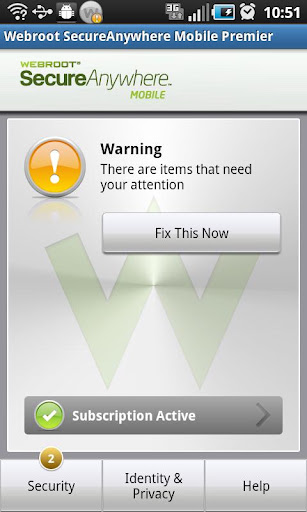
Antivirus Security & Antivirus Premier v3.1.0.4547 Mobile Phone and Tablet


The most advanced antivirus, Internet security & identity protection for Android™ smartphones & tablets. Complete mobile security with App Inspector, remote data wipe, lost device mapping, virus shield, SIM card lock, network monitor & more.
Key Features :

  • Automatically scans your apps and files for viruses, spyware, Trojans
  • Antivirus security shields block malware before it has a chance to install
  • Alerts you when your device and settings are vulnerable to attack

SECURE WEB BROWSING:
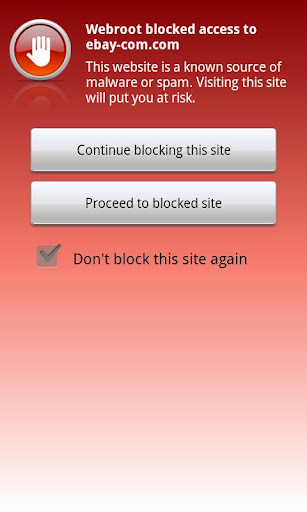
Automatically scans web links and URLs to block phishing and other harmful content

LOST DEVICE PROTECTION:
  1. Remote Access – Use your Mobile Security Website (https://mobile.webroot.com/auth/login) or another mobile device to remotely lock, wipe, or locate your device
  2. Device Lock – Remotely locks your device if it’s lost or stolen
  3. Device Wipe – Remotely wipes your contacts, text messages, other personal information
  4. Device Scream – Sounds an alert to help you locate your device nearby
  5. Device Locate – See your device’s location on a map
  6. SIM Card Lock – Automatically locks device when your SIM card is removed

CALL/SMS BLOCKING:
  • Spam blocking – Blocks text spam and unwanted calls
  • Virus blocking – Automatically blocks messages containing malicious URLs

APP INSPECTOR:
  • Scans all apps and identifies those that can:
  • Access to your Email/SMS messages
  • Cost you money
  • Access sensitive information
  • Track your location
  • Drain your battery
  • Battery Monitor provides battery status and power usage by apps
  • Network Monitor provides details of apps that are accessing the network

FOOTPRINT:

  1. Runs quietly in the background
  2. Light on device memory and battery utilization
  3. Checks for security updates automatically to ensure latest antivirus and security protection
  4. 3G/4G data connection or wifi required for some features

What’s in this version: (Updated : Dec 19, 2012)
  1. Fixed a few crashes and ANR
  2. Performance enhancements
  3. Enhanced malware protection
  4. Improved lock screen security
  5. Additional product alerts for Device Administration and screen lock settings
  6. mproved screen layout for high resolution devices
  7. Bug fixes
Requires Android: 2.1 and up Download Apps

Read more »